Review
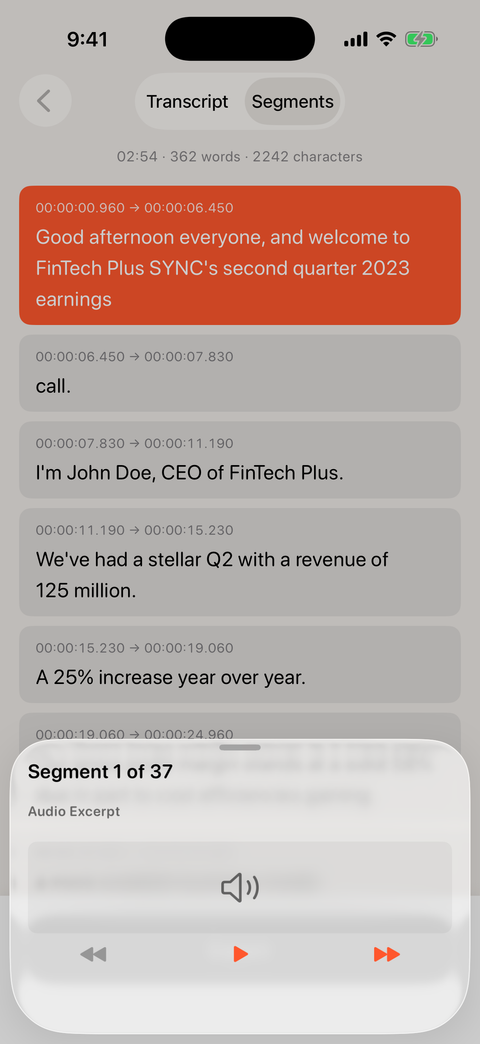
Step through it, hear it back
Every segment carries its timestamps, and the inspector plays the audio behind any line — so checking a name or a number takes one tap, not a scrub through the whole file.
Everything happens on your iPhone
The same on-device engine as the Mac app, in your pocket. Open a file from Files or your camera roll and read the transcript before anyone else could have finished uploading it.
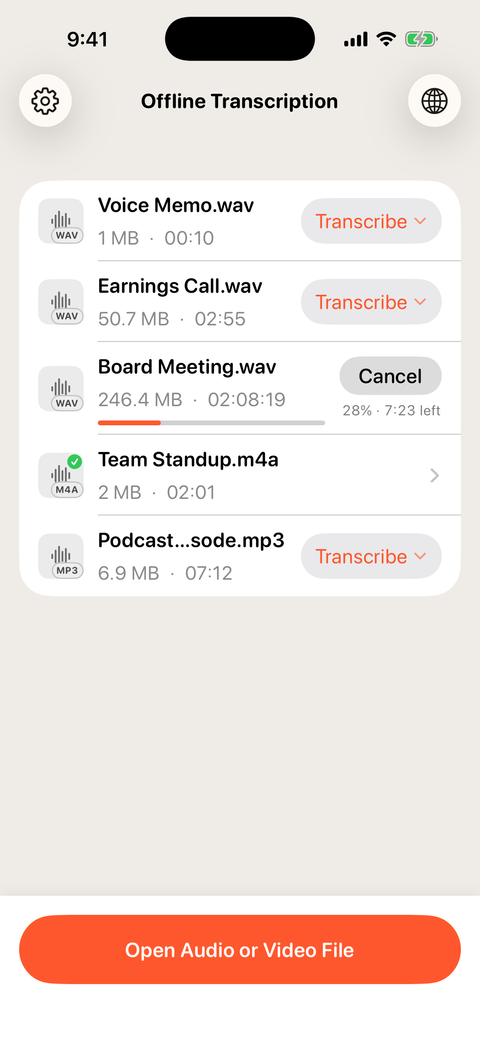
Live progress with time remaining — even a two-hour meeting.
A two-hour recording is routine: up to 3× faster, and silence or music never turns into repeated text.
Hold the Transcribe button to pick a language per file, or let auto-detect do the work.
Airplane mode is fine. Your recordings and transcripts stay on the device in your hand.
Review
Every segment carries its timestamps, and the inspector plays the audio behind any line — so checking a name or a number takes one tap, not a scrub through the whole file.
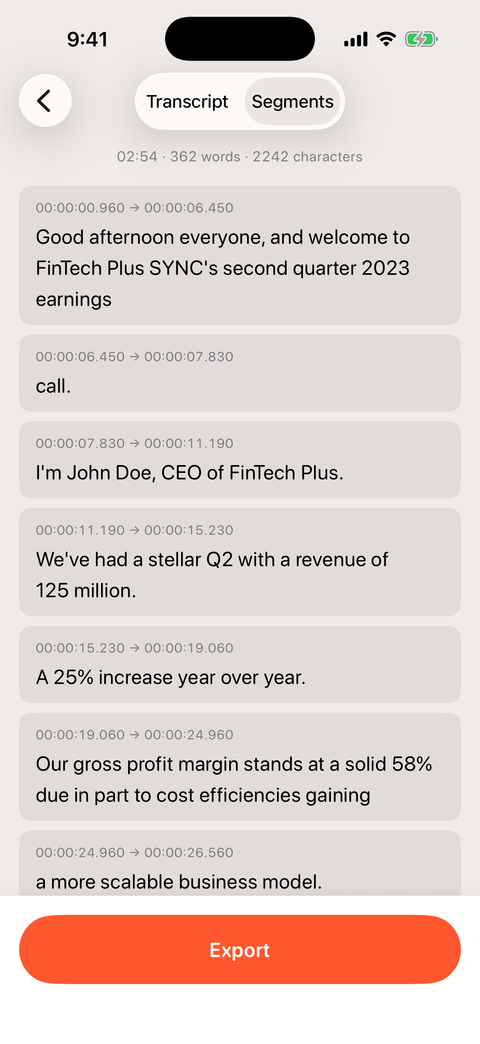
Export
Plain text for notes, SRT, SBV and VTT for video, CSV for spreadsheets, HTML and PDF when the transcript is the deliverable. Share them anywhere iOS can.
Privacy
No uploads, no account, no per-minute meter. The same privacy policy as the Mac app, because it is the same engine doing the same local work.
Transcribe audio and video entirely on your iPhone or iPad. Nothing is uploaded, there is no account, and a two-hour recording is routine.